


quick and
easy testing
private and
secure account
get
result fast
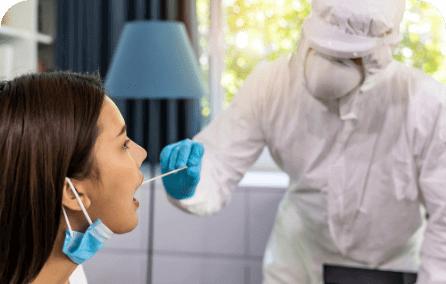
You Are Participating In A COVID-19 Drive-Through Test Event Or Pop-Up Testing Clinic. The Lab And Providers Facilitating The Event Use LabDash To Speed Up And Simplify The Process. Access Your Results Privately And Securely As Soon As They Are Available.

At The Recommendation Of A Doctor, You’ve Been Directed To Get Tested. LabDash Is A Simple And Easy Way To Get Tested And Get Results Once Your Doctor Has Ordered Your Kit.

Whether Its For Surveillance, A Possible Exposure Instance, Or A Known Positive Case At Your Workplace, An Employer May Ask You To Be Tested For COVID-19. Through LabDash, Your Employer Can Sponsor Your Test And Order Kits For You And Other Coworkers.
The following is a guide of how to use LabDash as a Patient.
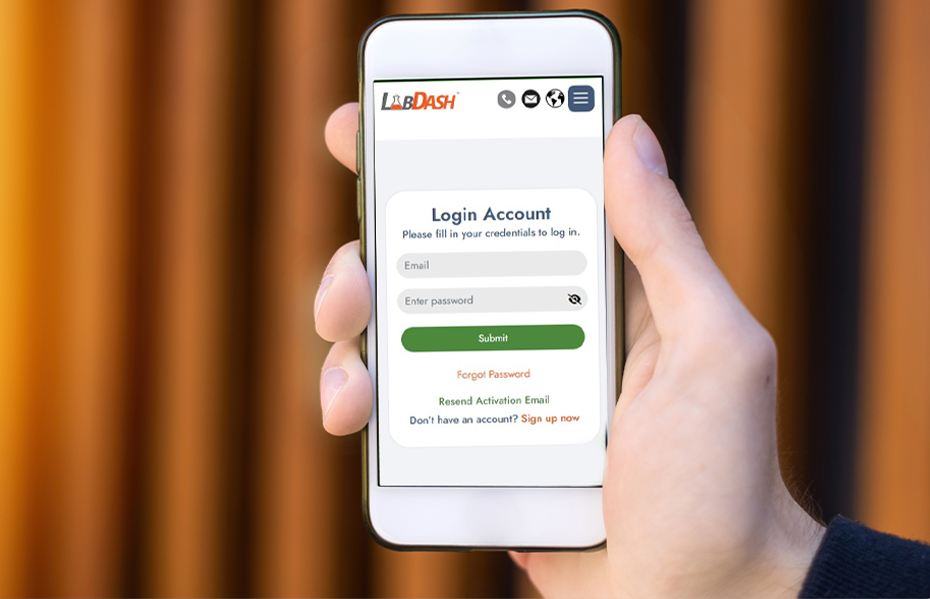
Once you have registered as a sponsor, the lab needs to verify your account. The lab will reach out at this point, if they haven’t already.
Next, as a sponsor, you need to decide HOW testing will be conducted at your facility. The lab representative will work with you to determine what method would be best for your instance.

The lab will generate and assign barcodes through LabDash to specific providers and sponsors who have requested tests. Every user is given a unique ID, which is used to assign patients, providers, sponsors, and labs to sample barcodes.
The lab will follow their own standard procedures for delivering test kits to those who need them.
Providers and patients are responsible for entering their necessary patient and collection data into LabDash.
You have a kit and you will be performing the test yourself. BEFORE you start the test, follow these important steps.
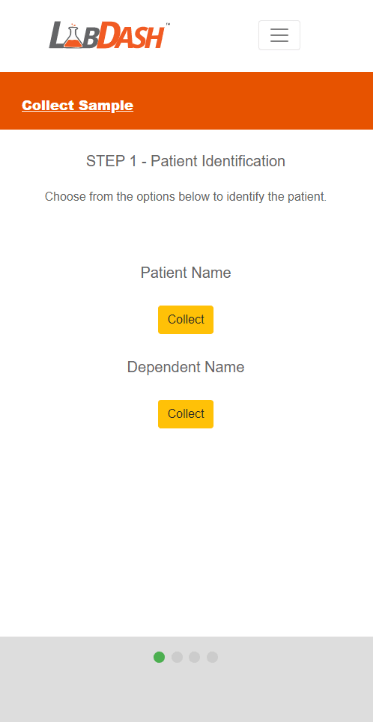
Identify who is getting tested by clicking “Collect” under their name.
The “Next” button will then appear - click it to continue.
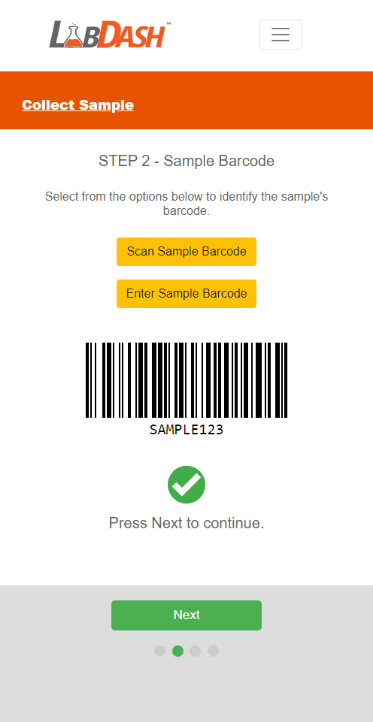
Scan or enter the barcode from your test kit. (Note: scanning may not be available on your device.)
Once the barcode is verified, the “Next” button appears - click it to continue.
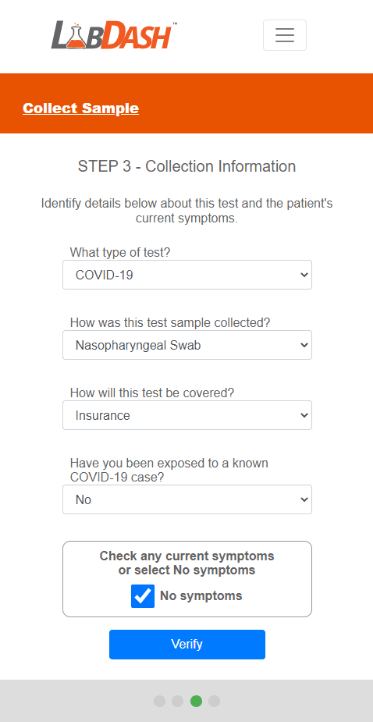
Enter your test type, test method, exposure, and symptoms.
When you are finished, click “Submit” to complete this step.
The “Next” button will then appear - click it to continue.
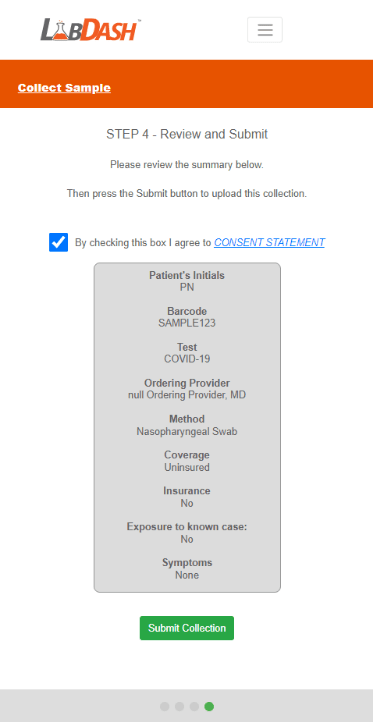
Review your collection information and make sure it is correct.
Click “Submit Collection” to enter this information into LabDash. This is what will connect your sample barcode to your account.
Now you are ready to collect your sample.
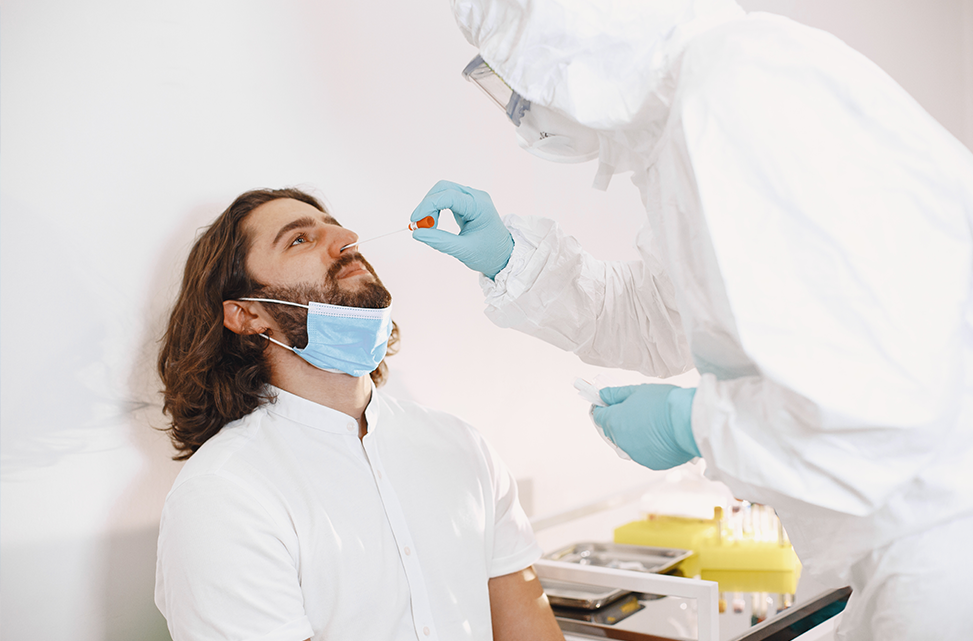
You have completed the steps above. The following are important steps to take your test and ensure that the lab receives your kit correctly.

The lab will generate and assign barcodes through LabDash to specific providers and sponsors who have requested tests. Every user is given a unique ID, which is used to assign patients, providers, sponsors, and labs to sample barcodes.
The lab will follow their own standard procedures for delivering test kits to those who need them.
Providers and patients are responsible for entering their necessary patient and collection data into LabDash.

The lab will generate and assign barcodes through LabDash to specific providers and sponsors who have requested tests. Every user is given a unique ID, which is used to assign patients, providers, sponsors, and labs to sample barcodes.
The lab will follow their own standard procedures for delivering test kits to those who need them.
Providers and patients are responsible for entering their necessary patient and collection data into LabDash.
Once you have registered as a sponsor, the lab needs to verify your account. The lab will reach out at this point, if they haven’t already.
Next, as a sponsor, you need to decide HOW testing will be conducted at your facility. The lab representative will work with you to determine what method would be best for your instance.
The lab will generate and assign barcodes through LabDash to specific providers and sponsors who have requested tests. Every user is given a unique ID, which is used to assign patients, providers, sponsors, and labs to sample barcodes.
The lab will follow their own standard procedures for delivering test kits to those who need them.
Providers and patients are responsible for entering their necessary patient and collection data into LabDash.
BEFORE starting the test, follow these important steps.
Identify who is getting tested by clicking “Collect” under their name.
The “Next” button will then appear - click it to continue.
Scan or enter the barcode from your test kit. (Note: scanning may not be available on your device.)
Once the barcode is verified, the “Next” button appears - click it to continue.
Enter your test type, test method, exposure, and symptoms.
When you are finished, click “Submit” to complete this step.
The “Next” button will then appear - click it to continue.
Review your collection information and make sure it is correct.
Click “Submit Collection” to enter this information into LabDash. This is what will connect your sample barcode to your account.
Now you are ready to collect your sample.
You have completed the steps above. The following are important steps to take your test and ensure that the lab receives your kit correctly.
The lab will generate and assign barcodes through LabDash to specific providers and sponsors who have requested tests. Every user is given a unique ID, which is used to assign patients, providers, sponsors, and labs to sample barcodes.
The lab will follow their own standard procedures for delivering test kits to those who need them.
Providers and patients are responsible for entering their necessary patient and collection data into LabDash.
The lab will generate and assign barcodes through LabDash to specific providers and sponsors who have requested tests. Every user is given a unique ID, which is used to assign patients, providers, sponsors, and labs to sample barcodes.
The lab will follow their own standard procedures for delivering test kits to those who need them.
Providers and patients are responsible for entering their necessary patient and collection data into LabDash.
Lorem Ipsum is simply dummy text of the printing and typesetting industry. Lorem Ipsum has been the industry’s standard dummy text ever since the 1500s,
ABCD6
Lorem Ipsum is simply dummy text of the printing and typesetting industry. Lorem Ipsum has been the industry’s standard dummy text ever since the 1500s,
ABCD5
Lorem Ipsum is simply dummy text of the printing and typesetting industry. Lorem Ipsum has been the industry’s standard dummy text ever since the 1500s,
ABCD4
Lorem Ipsum is simply dummy text of the printing and typesetting industry. Lorem Ipsum has been the industry’s standard dummy text ever since the 1500s,
ABCD3